





 Why do we ask?


Tip: Don’t respond to or click a link in an unsolicited message. It could be a phishing or smishing scam. If the message claims your device is infected, it’s almost certainly a scam, as third parties have no way of knowing this.
Has your personal data been recently exposed?
Check if information like your Social Security number, email, and passwords is exposed on the dark web.


You have reached the maximum number of scans allowed. Please come back after 24 hours.

Scanning the dark web...
Scanning public databases...
Scanning millions of records...
Narrowing down the search...
We need more information
Please enter a few more details to ensure we show you the right information.
Risk level:
High
You’re at high risk
We found your personal information on the dark web and on data broker sites.
Your personalized protection plan
Product Benefits:
 Up to $3M Reimbursement for identity theft, with up to $1M for Stolen Funds†††
$10K Scam Reimbursement7
Scam Support
Credit, Checking and Savings Activity Alerts: Unlimited Accounts
Credit & Payday Loan Lock2
Credit Monitoring:
3 Bureau1
Automatic Data Broker Removal8
Dark Web Monitoring
Priority 24/7 Customer Phone Support
Up to $3M Reimbursement for identity theft, with up to $1M for Stolen Funds†††
$10K Scam Reimbursement7
Scam Support
Credit, Checking and Savings Activity Alerts: Unlimited Accounts
Credit & Payday Loan Lock2
Credit Monitoring:
3 Bureau1
Automatic Data Broker Removal8
Dark Web Monitoring
Priority 24/7 Customer Phone Support
LifeLock Total
Your price:
$
349.99
Your price:
$
34.99
60-day money back guarantee with an annual plan
24/7 Live Member Support
No one can prevent all cybercrime or prevent all identity theft.
- Price valid for introductory term. After that, your price will renew at the standard price.
- Your subscription begins immediately after your transaction is complete. A payment method is required at sign-up for trials, and you will be charged at the end of your trial, unless canceled first.
- Prices are subject to change and may be charged up to 35 days prior to renewal. Cancel here or contact Member Services.
- Restrictions apply. Automatically renewing subscription required. If you're a victim of identity theft and not satisfied with our resolution, you may receive a refund for the current term of your subscription. See lifelock.norton.com/guarantee for complete details.
††† Up to $1 million coverage for Lawyers and Experts included with all plans. Reimbursement and expense compensation vary according to plan. Insurance benefits are issued by third parties. See lifelock.norton.com/legal for policy info.
1 Bureau Monitoring and Monthly Credit Report and Score / 3 Bureau Monitoring and Monthly Credit Report and Score.
2 Credit Lock cannot prevent all account takeovers, unauthorized account openings, or credit file inquiries. Deactivates if you downgrade or cancel your subscription.
7 Scam protection coverage as part of identity theft benefits is currently available to all customers residing in the United States, including U.S. territories and the District of Columbia, with the exception of residents of New York. Gen Digital is not a licensed insurance producer. Benefits under the Master Policy are issued and covered by HSB Specialty Insurance Company. You can find further details and exclusions in the summary of benefits.
8 After setup, automatic data broker removal service scans and requests removal every 90 days.
Risk level:
Medium
You’re at medium risk
We found your personal information on data broker sites.
Your personalized protection plan
Product Benefits:
Up to $1.2M Reimbursement for identity theft, with up to $100K for Stolen Funds†††
$5K Scam Reimbursement7
Scam Support
Credit, Checking and Savings Activity Alerts:
5 Accounts
Credit & Payday Loan Lock2
Credit Monitoring:
3 Bureau1
Automatic Data Broker Removal8
Dark Web Monitoring
Priority 24/7 Customer Phone Support
LifeLock Advanced
Your price:
$
199.99
Your price:
$
19.99
60-day money back guarantee with an annual plan
24/7 Live Member Support
No one can prevent all cybercrime or prevent all identity theft.
- Price valid for introductory term. After that, your price will renew at the standard price.
- Your subscription begins immediately after your transaction is complete. A payment method is required at sign-up for trials, and you will be charged at the end of your trial, unless canceled first.
- Prices are subject to change and may be charged up to 35 days prior to renewal. Cancel here or contact Member Services.
- Restrictions apply. Automatically renewing subscription required. If you're a victim of identity theft and not satisfied with our resolution, you may receive a refund for the current term of your subscription. See lifelock.norton.com/guarantee for complete details.
††† Up to $1 million coverage for Lawyers and Experts included with all plans. Reimbursement and expense compensation vary according to plan. Insurance benefits are issued by third parties. See lifelock.norton.com/legal for policy info.
1 Bureau Monitoring and Monthly Credit Report and Score / 3 Bureau Monitoring and Monthly Credit Report and Score.
2 Credit Lock cannot prevent all account takeovers, unauthorized account openings, or credit file inquiries. Deactivates if you downgrade or cancel your subscription.
7 Scam protection coverage as part of identity theft benefits is currently available to all customers residing in the United States, including U.S. territories and the District of Columbia, with the exception of residents of New York. Gen Digital is not a licensed insurance producer. Benefits under the Master Policy are issued and covered by HSB Specialty Insurance Company. You can find further details and exclusions in the summary of benefits.
8 After setup, automatic data broker removal service scans and requests removal every 90 days.
Risk level:
Low
Good news!
We didn’t find your personal information across millions of records or on public data sources.
Your personalized protection plan
Product Benefits:
Up to $1.05M Reimbursement for identity theft, with up to $25K for Stolen Funds†††
Identity Restoration Specialists
Credit, Checking and Savings Activity Alerts:
2 Accounts
Credit & Payday Loan Lock2
Credit Monitoring:
2 Bureau1
Automatic Data Broker Removal8
Dark Web Monitoring
Breach Alerts
24/7 Customer Phone Support
Lifelock Core
Your price:
$
124.99
Your price:
$
12.49
60-day money back guarantee with an annual plan
24/7 Live Member Support
No one can prevent all cybercrime or prevent all identity theft.
- Price valid for introductory term. After that, your price will renew at the standard price.
- Your subscription begins immediately after your transaction is complete. A payment method is required at sign-up for trials, and you will be charged at the end of your trial, unless canceled first.
- Prices are subject to change and may be charged up to 35 days prior to renewal. Cancel here or contact Member Services.
- Restrictions apply. Automatically renewing subscription required. If you're a victim of identity theft and not satisfied with our resolution, you may receive a refund for the current term of your subscription. See lifelock.norton.com/guarantee for complete details.
††† Up to $1 million coverage for Lawyers and Experts included with all plans. Reimbursement and expense compensation vary according to plan. Insurance benefits are issued by third parties. See lifelock.norton.com/legal for policy info.
1 Credit features require successful setup, identity verification, and sufficient credit history by the appropriate credit bureau. Credit monitoring features may take several days to activate after enrollment.
2 Identity Lock cannot prevent all account takeovers, unauthorized account openings, or credit file inquiries. Deactivates if you downgrade or cancel your subscription.
8 After setup, automatic data broker removal service scans and requests removal every 90 days.
1/2
Finding your match...

DID YOU KNOW?
10 cents
If your information is exposed or stolen in a data breach, it can end up on the dark web where it can be sold for as little as 10 cents.
100M+
LifeLock monitors hundreds of millions of data points a second.
Based on your concerns, the best plan for you is:
LifeLock Core
(Individual)
LifeLock Advanced
(Individual)
LifeLock Total
(Individual)
LifeLock Core
(2 adults)
LifeLock Advanced
(2 adults)
LifeLock Total
(2 adults)
LifeLock Core
(2 adults + up to 10 kids)
LifeLock Advanced
(2 adults + up to 10 kids)
LifeLock Total
(2 adults + up to 10 kids)
Pricing details below*
Pricing details below*
Pricing details below*
Pricing details below*
Pricing details below*
Pricing details below*
Pricing details below*
Pricing details below*
Pricing details below*
- Up to $1.05M Reimbursement for identity theft, with up to $25K for Stolen Funds†††
- Up to $1.2M Reimbursement for identity theft, with up to $100K for Stolen Funds†††
- Up to $3M Reimbursement for identity theft, with up to $1M for Stolen Funds†††
- Up to $1.05M Reimbursement for identity theft, with up to $25K for Stolen Funds††† for each adult
- Up to $1.2M Reimbursement for identity theft, with up to $100K for Stolen Funds††† for each adult
- Up to $3M Reimbursement for identity theft, with up to $1M for Stolen Funds††† for each adult
- Up to $1.05M Reimbursement for identity theft, with up to $25K for Stolen Funds††† for each adult
- Up to $1.2M Reimbursement for identity theft, with up to $100K for Stolen Funds††† for each adult
- Up to $3M Reimbursement for identity theft, with up to $1M for Stolen Funds††† for each adult
- Credit Monitoring Coverage1
- Credit Monitoring1 each adult
- Credit Monitoring1 for family
- Credit, Checking & Savings Account Activity Alerts
- Credit, Checking and Savings Activity Alerts for each adult
- Credit, Checking and Savings Activity Alerts for family
- 401K & Investment Account Activity Alerts
- 401K/Investment Account Alerts for each adult
- 401K/Investment Account Alerts for family
- Recurring and Unusual Charge Alerts
- Unexpected & Suspicious Charge Alerts for each adult
- Unexpected & Suspicious Charge Alerts for family
- Stolen Funds Reimbursement†††
- Stolen Funds Reimbursement††† for each adult
- Stolen Funds Reimbursement††† for family
- Lawyers and Experts†††
- Lawyers & Experts††† for each adult
- Lawyers & Experts††† for family
- Automatic Data Broker Removal8
- Automatic Data Broker Removal8 for each adult
- Automatic Data Broker Removal8 for family
- Scam Reimbursement7
- Scam Reimbursement7 for each adult
- Scam Reimbursement7 for family
- Credit Reports & Scores1
- Credit Report & Score for each adult
- Credit Report & Score for family
- Social Media Monitoring
- Social Media Monitoring for each adult
- Social Media Monitoring for family

We have more plans to choose from.
See all plans

Have questions?
Contact sales
*Your subscription begins immediately after payment and automatically renews unless cancelled. Discount for annual plans are compared to monthly billing. Prices subject to change and may be charged up to 35 days before current term ends. Cancel here or contact Member Services.
††† Up to $1 million coverage for Lawyers and Experts included with all plans. Reimbursement and expense compensation vary according to plan. Insurance benefits are issued by third parties. See LifeLock.Norton.com/legal for policy info.
1 Credit features require successful setup, identity verification and sufficient credit history by the appropriate credit bureau. Credit monitoring features may take several days to activate after enrollment.
7 Scam protection coverage as part of identity theft benefits is currently available to all customers residing in the United States, including U.S. territories and the District of Columbia, with the exception of residents of New York. Gen Digital is not a licensed insurance producer. Benefits under the Master Policy are issued and covered by HSB Specialty Insurance Company. You can find further details and exclusions in the Summary of Benefits.
8 After setup, automatic data broker removal service scans and requests removal every 90 days.
Why do we ask?
Identifying your concerns gives us the ability to recommend the right plan for your needs.
Return to quiz
Why do we ask?
Knowing this number helps us recommend coverage that fits your needs.
Return to quiz
Why do we ask?
Providing your email address makes you eligible for notifications of potential identity threats.
Return to quiz
7 AnyDesk scams and tips for spotting scammers
AnyDesk is a valuable tool that helps IT specialists fix computer issues remotely. But, like many legitimate remote access tools, it can be abused by scammers to steal personal data. Learn how to spot AnyDesk scams, then consider identity theft protection from LifeLock to help monitor for signs of fraud.
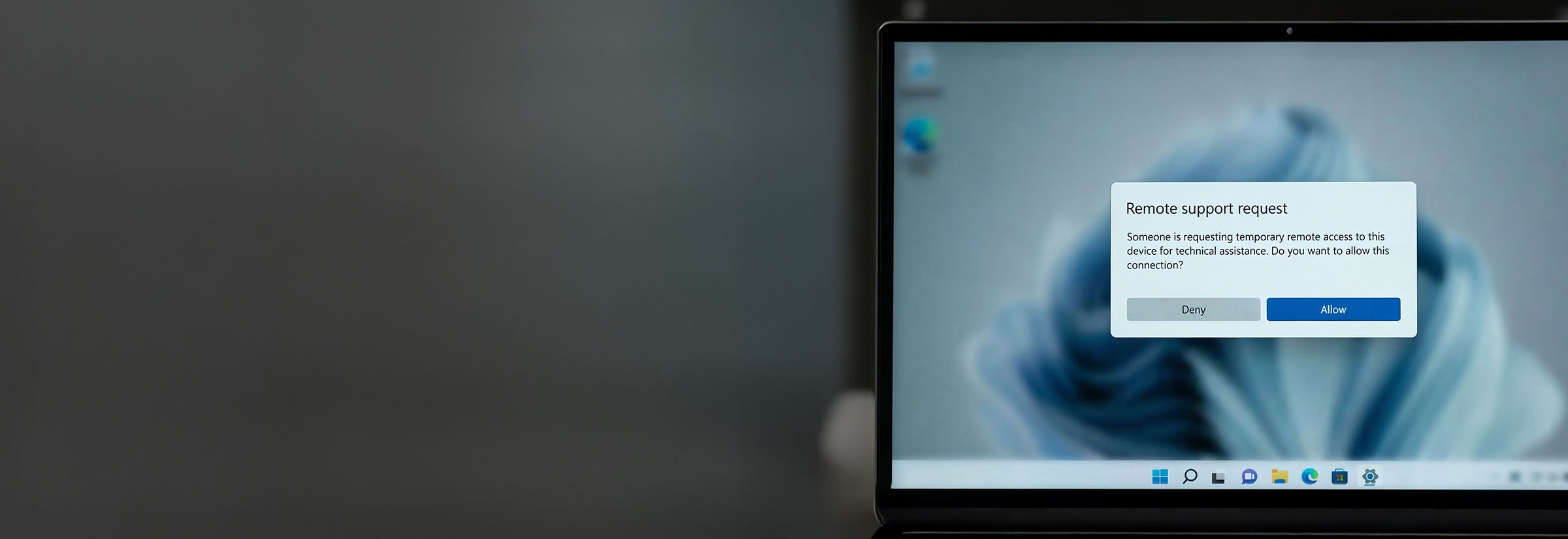

In AnyDesk scams, cybercriminals use legitimate software for illegitimate reasons: to gain remote access to a user’s device and their sensitive data.
IT support agents use AnyDesk to provide remote assistance to customers with computer issues. But in the wrong hands, AnyDesk is a dangerous tool. Scammers posing as tech support can deceive victims into installing AnyDesk, granting them remote access to their victim’s device — as well as the sensitive personal information stored there, like passwords and banking details.
This article will explore common AnyDesk scams, teach you how to recognize them, and explain what to do if you fall for an AnyDesk scam.
What is AnyDesk and is it legit?
AnyDesk is legitimate software, and AnyDesk Americas, Inc., the company that owns it, has an A+ rating with the Better Business Bureau (BBB). The software is often used by real tech support agents to gain remote access to a user’s device in order to help them with computer-related issues.
AnyDesk is safe provided that the person or organization using it to access your computer is trustworthy.
However, while AnyDesk itself isn’t malicious, beware of so-called “support agents” who contact you out of the blue and claim there’s a problem with your device. Unsolicited tech support contact is a common scam tactic: fraudsters pose as helpful IT experts to gain remote access and steal information or install malware.
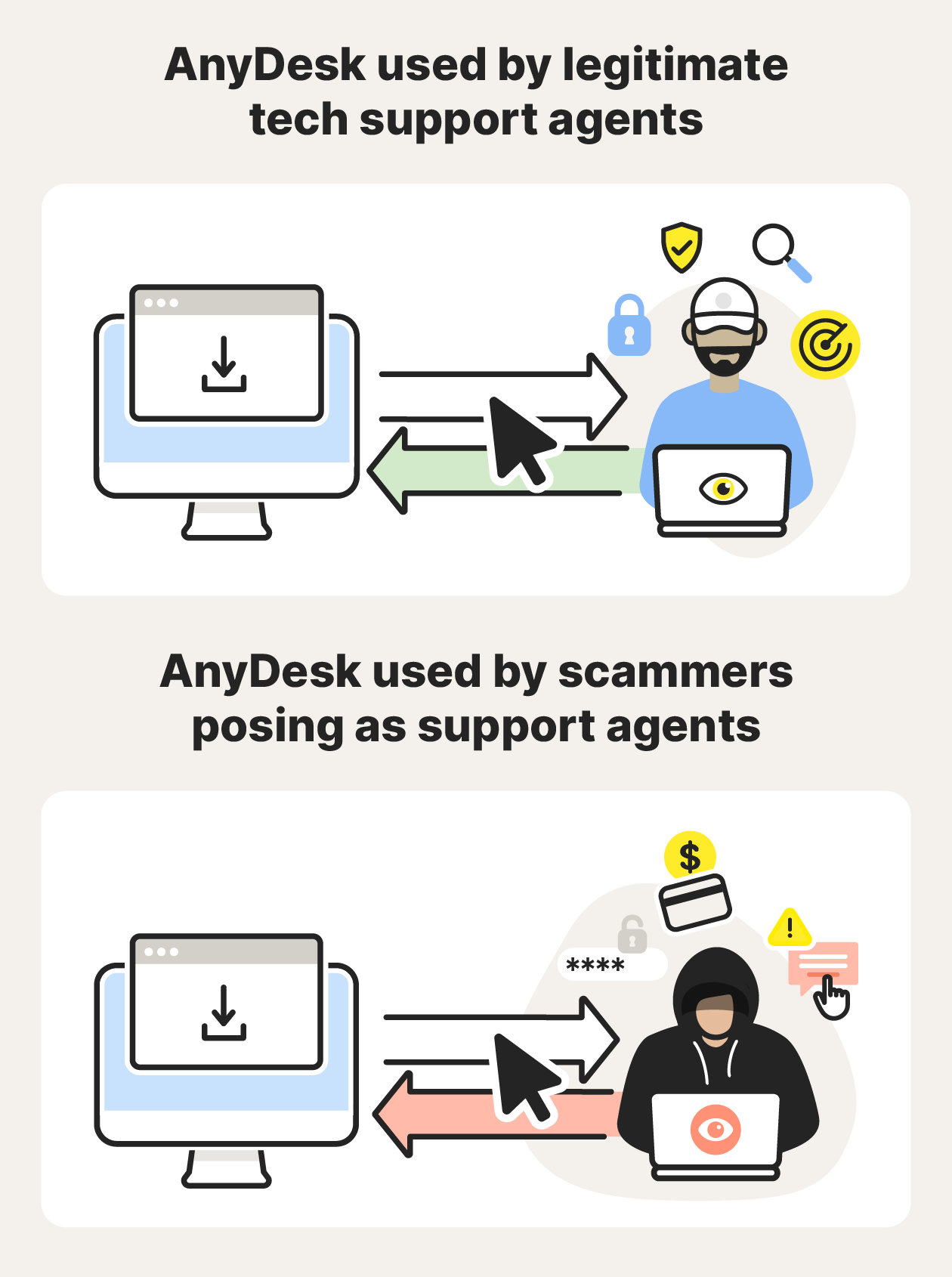
A visual showing that AnyDesk is safe when used with legitimate tech support agents, but isn't with scammers.
Known AnyDesk Scams to watch out for
Scammers use AnyDesk to gain remote access to users’ devices for malicious purposes. Here are some common AnyDesk scams to watch out for.
1. Phishing
Scammers contact victims via text or email, claiming their device is infected. They then instruct them to download AnyDesk so that they can “fix” the problem remotely. Once access is granted, the scammer can view their screen and attempt to obtain sensitive information.
2. Fake job offers
Scammers approach their victims with fake job offers and require them to download AnyDesk in order to work remotely from home or as part of the onboarding process. While many companies legitimately use AnyDesk, unsolicited job offers that require immediate remote access can be a sign of employment-related fraud, particularly if the job offer seems too good to be true.
Tip: Research a company before accepting a random job offer, and verify the position through official channels. Job application scams also occur, where you apply for a job that a scammer lists, so always verify any job before downloading AnyDesk or another remote access tool.
3. Fake fraud alerts
Scammers send an email or SMS claiming that the victim’s bank account has been compromised. They then ask them to download AnyDesk to secure their funds remotely. Many victims panic and act immediately when they see a fraud alert, thinking their finances are at stake — a classic social engineering trick.
Tip: If you’re ever in doubt, contact your bank directly instead of following instructions in an unsolicited message. In this Reddit thread, a scammer claimed the user’s bank account had been hacked and asked them to download AnyDesk to fix the problem.
4. Virus alert pop-ups
Scammers can use malicious websites or ads to trigger pop-ups claiming a user’s device is infected with a virus. These pop-ups often mimic system notifications or a trusted antivirus brand.
Tip: If you’re unsure whether a pop-up is a legit system notification, close your web browser. If the pop-up disappears, it isn’t a real alert. Run a virus scan using your regular antivirus software to check for and remove any threats.
5. Cryptocurrency scams
Scammers posing as crypto “experts” or investment advisors may offer to guide victims through trading and recommend that they install AnyDesk. No legitimate investment service requires remote access to a personal device. If someone offers to “guide” you through the investing process via AnyDesk, it’s a type of bank scam.
Tip: Beware of anyone asking to see sensitive financial data via AnyDesk, including investment apps and crypto wallets. One Reddit user explains how their parent fell for a bitcoin trading scam involving AnyDesk, asking other users for advice.
6. Paypal scams
An AnyDesk PayPal scam may start with a message claiming that the victim’s PayPal account has been hacked. It will include a number to call for support, where the scammer will direct the victim to download AnyDesk so they can view sensitive information on their PayPal or other cash app accounts.
Tip: A Reddit user called a tech support number she believed was PayPal and downloaded AnyDesk, giving the scammer free access to her banking app. If you ever need help, go directly to PayPal’s website to contact a support agent.
7. Amazon scams
Victims receive a message or call claiming there’s suspicious activity on their Amazon account. The scammer asks the victim to download AnyDesk so they can secure their account remotely. This allows the scammer to see the user’s account details, including card information.
Tip: One Redditor experienced an AnyDesk Amazon scam after contacting what they thought was Amazon customer service. If you’re concerned about fraud on your Amazon account, update your password and contact Amazon directly via their website.
How to spot an AnyDesk scammer
Most AnyDesk scams work on the same premise: the scammer contacts the victim and persuades them to download AnyDesk using social engineering techniques. Here’s how you can identify a scammer and stop them in their tracks.
- Unexpected message or phone call. If someone emails, texts, or calls claiming to be tech support and urges you to download AnyDesk to fix a (fictitious) problem on your device, it’s a red flag.
- Claims your device is infected with malware. Legitimate security alerts will come from your operating system or antivirus software, not from random services or software you don’t use.
- Urgent language. Most online scammers use fear tactics and pressure you with deadlines, leaving you little time to think.
You should treat any unexpected request to download AnyDesk as suspicious — and the same goes for any other remote access software. If you’re worried that the issue, job offer, or investment opportunity is real, contact the company via an official channel.
What to do if you fell for an AnyDesk scam
If you fell for an AnyDesk scam, follow these steps to secure your device, protect your personal information, and help mitigate further damage.
- Report the scam. Report the incident to AnyDesk and your financial institutions if information was compromised. You should also report online scams to the Federal Trade Commission and the Internet Crime Complaint Center (IC3).
- Change your passwords. If you suspect your device has been hacked or you showed any login details on screen, change your password for your email, banking apps, and any other accounts that might have been compromised.
- Run a virus scan. Use an antivirus program to scan for and remove malware.
- Have your device checked by an IT specialist. If you’re worried your device might still be compromised, contact a reputable IT specialist to check for and resolve issues.
- Check your financial accounts. Review your financial apps to ensure there are no unauthorized transactions on your bank, PayPal, crypto, or other accounts. Stay vigilant by monitoring these accounts regularly.
- Check your credit report. Look for unexpected hard inquiries or new lines of credit. Continue to monitor your credit or consider placing a freeze or lock on your file.
- Protect your credit. To help prevent anyone from opening new credit in your name, contact the credit bureaus to lock or freeze your credit.
- Invest in identity theft protection. Invest in identity theft protection to help protect against identity theft and receive alerts about potentially fraudulent use of your personal information.
Protect your personal info with LifeLock
AnyDesk scams and other social engineering attacks can lead to identity theft and a drained bank account. You don’t need to face that risk alone.
LifeLock offers identity and credit monitoring features designed to help alert you to potential signs of identity theft — like someone taking out a line of credit in your name. And, if your identity is stolen, LifeLock is there to help you recover: you’ll get access to 24/7 live member support from a U.S. based specialist, as well as stolen funds reimbursement and coverage for lawyers and experts for eligible cases.
AnyDesk is developed and distributed by AnyDesk Software GmbH.
Editors’ note: Our articles provide educational information about identity theft, scams, financial fraud, and other topics that can put your identity or personal accounts at risk. LifeLock offerings may not cover or protect against every type of crime, fraud, scam, or threat we write about. For more details about how we write, review, and update our articles, see our Editorial Policy.
Related articles






Scams & Fraud
What is a brushing scam? Why free packages raise red flags
November 13, 2025
·
10 min read
Scams & Fraud
What is a brushing scam? Why free packages raise red flags
November 13, 2025
·
10 min read