





 Why do we ask?


† LifeLock does not monitor all transactions at all businesses.
Has your personal data been recently exposed?
Check if information like your Social Security number, email, and passwords is exposed on the dark web.


You have reached the maximum number of scans allowed. Please come back after 24 hours.

Scanning the dark web...
Scanning public databases...
Scanning millions of records...
Narrowing down the search...
We need more information
Please enter a few more details to ensure we show you the right information.
Risk level:
High
You’re at high risk
We found your personal information on the dark web and on data broker sites.
Your personalized protection plan
Product Benefits:
 Up to $3M Reimbursement for identity theft, with up to $1M for Stolen Funds†††
$10K Scam Reimbursement7
Scam Support
Credit, Checking and Savings Activity Alerts: Unlimited Accounts
Credit & Payday Loan Lock2
Credit Monitoring:
3 Bureau1
Automatic Data Broker Removal8
Dark Web Monitoring
Priority 24/7 Customer Phone Support
Up to $3M Reimbursement for identity theft, with up to $1M for Stolen Funds†††
$10K Scam Reimbursement7
Scam Support
Credit, Checking and Savings Activity Alerts: Unlimited Accounts
Credit & Payday Loan Lock2
Credit Monitoring:
3 Bureau1
Automatic Data Broker Removal8
Dark Web Monitoring
Priority 24/7 Customer Phone Support
LifeLock Total
Your price:
$
349.99
Your price:
$
34.99
60-day money back guarantee with an annual plan
24/7 Live Member Support
No one can prevent all cybercrime or prevent all identity theft.
- Price valid for introductory term. After that, your price will renew at the standard price.
- Your subscription begins immediately after your transaction is complete. A payment method is required at sign-up for trials, and you will be charged at the end of your trial, unless canceled first.
- Prices are subject to change and may be charged up to 35 days prior to renewal. Cancel here or contact Member Services.
- Restrictions apply. Automatically renewing subscription required. If you're a victim of identity theft and not satisfied with our resolution, you may receive a refund for the current term of your subscription. See lifelock.norton.com/guarantee for complete details.
††† Up to $1 million coverage for Lawyers and Experts included with all plans. Reimbursement and expense compensation vary according to plan. Insurance benefits are issued by third parties. See lifelock.norton.com/legal for policy info.
1 Bureau Monitoring and Monthly Credit Report and Score / 3 Bureau Monitoring and Monthly Credit Report and Score.
2 Credit Lock cannot prevent all account takeovers, unauthorized account openings, or credit file inquiries. Deactivates if you downgrade or cancel your subscription.
7 Scam protection coverage as part of identity theft benefits is currently available to all customers residing in the United States, including U.S. territories and the District of Columbia, with the exception of residents of New York. Gen Digital is not a licensed insurance producer. Benefits under the Master Policy are issued and covered by HSB Specialty Insurance Company. You can find further details and exclusions in the summary of benefits.
8 After setup, automatic data broker removal service scans and requests removal every 90 days.
Risk level:
Medium
You’re at medium risk
We found your personal information on data broker sites.
Your personalized protection plan
Product Benefits:
Up to $1.2M Reimbursement for identity theft, with up to $100K for Stolen Funds†††
$5K Scam Reimbursement7
Scam Support
Credit, Checking and Savings Activity Alerts:
5 Accounts
Credit & Payday Loan Lock2
Credit Monitoring:
3 Bureau1
Automatic Data Broker Removal8
Dark Web Monitoring
Priority 24/7 Customer Phone Support
LifeLock Advanced
Your price:
$
199.99
Your price:
$
19.99
60-day money back guarantee with an annual plan
24/7 Live Member Support
No one can prevent all cybercrime or prevent all identity theft.
- Price valid for introductory term. After that, your price will renew at the standard price.
- Your subscription begins immediately after your transaction is complete. A payment method is required at sign-up for trials, and you will be charged at the end of your trial, unless canceled first.
- Prices are subject to change and may be charged up to 35 days prior to renewal. Cancel here or contact Member Services.
- Restrictions apply. Automatically renewing subscription required. If you're a victim of identity theft and not satisfied with our resolution, you may receive a refund for the current term of your subscription. See lifelock.norton.com/guarantee for complete details.
††† Up to $1 million coverage for Lawyers and Experts included with all plans. Reimbursement and expense compensation vary according to plan. Insurance benefits are issued by third parties. See lifelock.norton.com/legal for policy info.
1 Bureau Monitoring and Monthly Credit Report and Score / 3 Bureau Monitoring and Monthly Credit Report and Score.
2 Credit Lock cannot prevent all account takeovers, unauthorized account openings, or credit file inquiries. Deactivates if you downgrade or cancel your subscription.
7 Scam protection coverage as part of identity theft benefits is currently available to all customers residing in the United States, including U.S. territories and the District of Columbia, with the exception of residents of New York. Gen Digital is not a licensed insurance producer. Benefits under the Master Policy are issued and covered by HSB Specialty Insurance Company. You can find further details and exclusions in the summary of benefits.
8 After setup, automatic data broker removal service scans and requests removal every 90 days.
Risk level:
Low
Good news!
We didn’t find your personal information across millions of records or on public data sources.
Your personalized protection plan
Product Benefits:
Up to $1.05M Reimbursement for identity theft, with up to $25K for Stolen Funds†††
Identity Restoration Specialists
Credit, Checking and Savings Activity Alerts:
2 Accounts
Credit & Payday Loan Lock2
Credit Monitoring:
2 Bureau1
Automatic Data Broker Removal8
Dark Web Monitoring
Breach Alerts
24/7 Customer Phone Support
Lifelock Core
Your price:
$
124.99
Your price:
$
12.49
60-day money back guarantee with an annual plan
24/7 Live Member Support
No one can prevent all cybercrime or prevent all identity theft.
- Price valid for introductory term. After that, your price will renew at the standard price.
- Your subscription begins immediately after your transaction is complete. A payment method is required at sign-up for trials, and you will be charged at the end of your trial, unless canceled first.
- Prices are subject to change and may be charged up to 35 days prior to renewal. Cancel here or contact Member Services.
- Restrictions apply. Automatically renewing subscription required. If you're a victim of identity theft and not satisfied with our resolution, you may receive a refund for the current term of your subscription. See lifelock.norton.com/guarantee for complete details.
††† Up to $1 million coverage for Lawyers and Experts included with all plans. Reimbursement and expense compensation vary according to plan. Insurance benefits are issued by third parties. See lifelock.norton.com/legal for policy info.
1 Credit features require successful setup, identity verification, and sufficient credit history by the appropriate credit bureau. Credit monitoring features may take several days to activate after enrollment.
2 Identity Lock cannot prevent all account takeovers, unauthorized account openings, or credit file inquiries. Deactivates if you downgrade or cancel your subscription.
8 After setup, automatic data broker removal service scans and requests removal every 90 days.
1/2
Finding your match...

DID YOU KNOW?
10 cents
If your information is exposed or stolen in a data breach, it can end up on the dark web where it can be sold for as little as 10 cents.
100M+
LifeLock monitors hundreds of millions of data points a second.
Based on your concerns, the best plan for you is:
LifeLock Core
(Individual)
LifeLock Advanced
(Individual)
LifeLock Total
(Individual)
LifeLock Core
(2 adults)
LifeLock Advanced
(2 adults)
LifeLock Total
(2 adults)
LifeLock Core
(2 adults + up to 10 kids)
LifeLock Advanced
(2 adults + up to 10 kids)
LifeLock Total
(2 adults + up to 10 kids)
Pricing details below*
Pricing details below*
Pricing details below*
Pricing details below*
Pricing details below*
Pricing details below*
Pricing details below*
Pricing details below*
Pricing details below*
- Up to $1.05M Reimbursement for identity theft, with up to $25K for Stolen Funds†††
- Up to $1.2M Reimbursement for identity theft, with up to $100K for Stolen Funds†††
- Up to $3M Reimbursement for identity theft, with up to $1M for Stolen Funds†††
- Up to $1.05M Reimbursement for identity theft, with up to $25K for Stolen Funds††† for each adult
- Up to $1.2M Reimbursement for identity theft, with up to $100K for Stolen Funds††† for each adult
- Up to $3M Reimbursement for identity theft, with up to $1M for Stolen Funds††† for each adult
- Up to $1.05M Reimbursement for identity theft, with up to $25K for Stolen Funds††† for each adult
- Up to $1.2M Reimbursement for identity theft, with up to $100K for Stolen Funds††† for each adult
- Up to $3M Reimbursement for identity theft, with up to $1M for Stolen Funds††† for each adult
- Credit Monitoring Coverage1
- Credit Monitoring1 each adult
- Credit Monitoring1 for family
- Credit, Checking & Savings Account Activity Alerts
- Credit, Checking and Savings Activity Alerts for each adult
- Credit, Checking and Savings Activity Alerts for family
- 401K & Investment Account Activity Alerts
- 401K/Investment Account Alerts for each adult
- 401K/Investment Account Alerts for family
- Recurring and Unusual Charge Alerts
- Unexpected & Suspicious Charge Alerts for each adult
- Unexpected & Suspicious Charge Alerts for family
- Stolen Funds Reimbursement†††
- Stolen Funds Reimbursement††† for each adult
- Stolen Funds Reimbursement††† for family
- Lawyers and Experts†††
- Lawyers & Experts††† for each adult
- Lawyers & Experts††† for family
- Automatic Data Broker Removal8
- Automatic Data Broker Removal8 for each adult
- Automatic Data Broker Removal8 for family
- Scam Reimbursement7
- Scam Reimbursement7 for each adult
- Scam Reimbursement7 for family
- Credit Reports & Scores1
- Credit Report & Score for each adult
- Credit Report & Score for family
- Social Media Monitoring
- Social Media Monitoring for each adult
- Social Media Monitoring for family

We have more plans to choose from.
See all plans

Have questions?
Contact sales
*Your subscription begins immediately after payment and automatically renews unless cancelled. Discount for annual plans are compared to monthly billing. Prices subject to change and may be charged up to 35 days before current term ends. Cancel here or contact Member Services.
††† Up to $1 million coverage for Lawyers and Experts included with all plans. Reimbursement and expense compensation vary according to plan. Insurance benefits are issued by third parties. See LifeLock.Norton.com/legal for policy info.
1 Credit features require successful setup, identity verification and sufficient credit history by the appropriate credit bureau. Credit monitoring features may take several days to activate after enrollment.
7 Scam protection coverage as part of identity theft benefits is currently available to all customers residing in the United States, including U.S. territories and the District of Columbia, with the exception of residents of New York. Gen Digital is not a licensed insurance producer. Benefits under the Master Policy are issued and covered by HSB Specialty Insurance Company. You can find further details and exclusions in the Summary of Benefits.
8 After setup, automatic data broker removal service scans and requests removal every 90 days.
Why do we ask?
Identifying your concerns gives us the ability to recommend the right plan for your needs.
Return to quiz
Why do we ask?
Knowing this number helps us recommend coverage that fits your needs.
Return to quiz
Why do we ask?
Providing your email address makes you eligible for notifications of potential identity threats.
Return to quiz
How to stop someone from spoofing my phone number
Are you getting angry calls from strangers accusing you of calling them when you haven’t? Or random responses to messages you never sent? These are telltale signs that your phone number is being spoofed. Learn how to stop someone from spoofing your number, and join LifeLock for an automatic data removal feature that can help you reduce online exposure of personal information like your number.
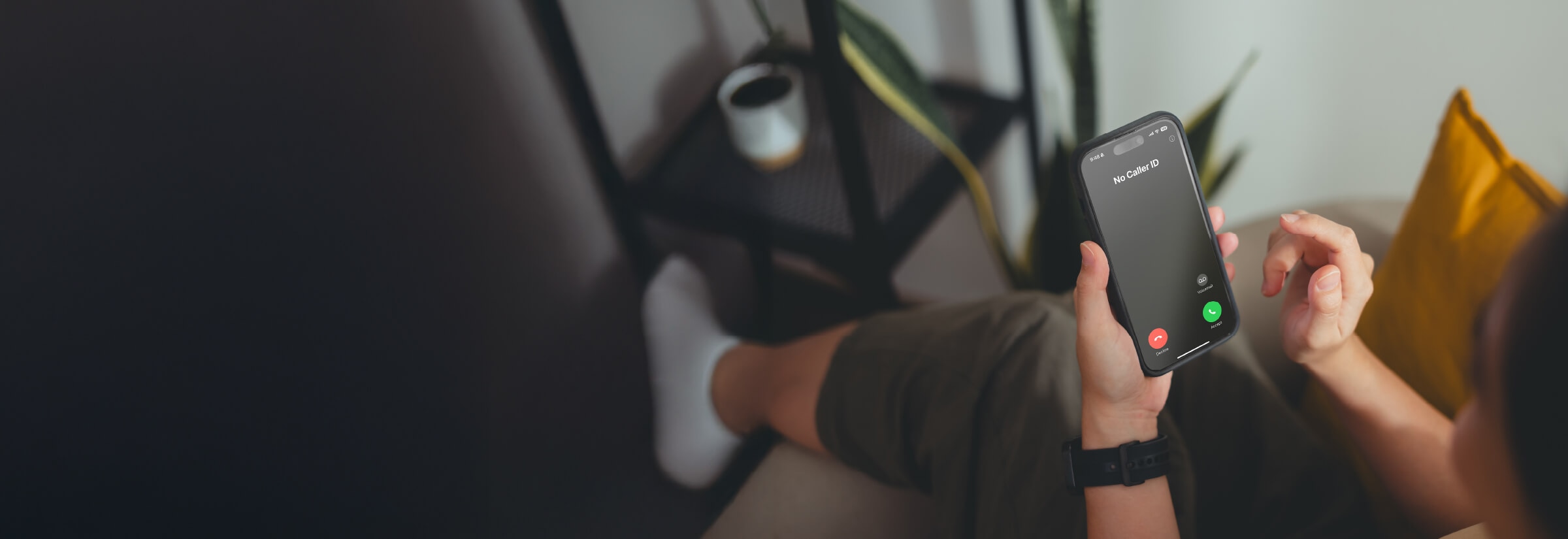

Phone number spoofing occurs when scammers manipulate caller ID to disguise their phone number and make it appear that they’re calling from a trusted source, such as a familiar area code, a family member’s number, or even your own.
Having your number spoofed can leave you vulnerable to reputational damage if your number is associated with a scammer tricking victims into giving up money. And it may also increase your risk of being scammed yourself, with scammers pretending to be able to “help you” fix the issue.
In this article, we’ll explain how phone number spoofing works and how to better protect yourself against it.
How to tell if your phone number is spoofed
It can be difficult to tell if your phone number is spoofed, and you often won’t realize until you notice the following signs: complaints from strangers, calls from your own number, or your number being flagged as spam when calling others.
- Complaints from strangers: If strangers contact you asking who you are, and you definitely didn’t contact them, it’s a sign that someone else is using your number for spam texts or fake phone calls. You might be inundated by messages or calls, depending on how many people the spoofer has spammed.
- Calls from your own number: If you get calls from your own phone number, a scammer might be trying to test your gullibility by making you curious enough to answer.
- Your number is blocked: If your number is suddenly being blocked or flagged as spam when you call people you know, it may be because people have reported it. Call-blocking apps can automatically block calls from numbers reported as spam.
How to stop someone from spoofing my phone number
If your number is being spoofed, report it to your carrier immediately. You can also change your outgoing voicemail message so angry respondents know what’s going on.
Here are the detailed steps you should follow to help stop phone spoofing:
1. Contact your carrier
The FCC requires most service providers — particularly those using IP networks — to implement STIR/SHAKEN protocols to authenticate calls, precisely to protect against spoofers and spammers. These protocols digitally validate caller ID data as it passes through the network, helping your carrier verify the number displayed on the caller ID and block fraudulent calls before they reach you.
If a criminal is spoofing your number, your first step should be to contact your mobile carrier. Doing so allows them to troubleshoot and resolve technical issues with the STIR/SHAKEN system.
2. Change your voicemail message and password
Update your voicemail greeting to notify callers that somebody is spoofing your number. Politely explain that suspicious calls originating from your number are not from you, and suggest blocking the number.
Additionally, change your voicemail password to prevent spoofers from accessing or manipulating it, especially if they’ve gained unauthorized access.
3. Check for SIM swap or identity theft attempts
A SIM swap is a common tactic criminals use to try to hijack your phone number and gain access to sensitive accounts. Pay attention to signs of unauthorized activity, such as sudden loss of service or unexpected phone charges.
Review your phone bill regularly for unfamiliar charges or signs of unusual activity. If you suspect a SIM swap, contact your carrier immediately to secure your account and stop further misuse.
4. Report suspected spoofing calls to the FTC
If somebody is spoofing your number, reporting it to the Federal Trade Commission (FTC) is crucial. The FTC collects reports to identify patterns and track down scammers, helping to prevent further fraudulent activity. You can also call the FTC directly at (877) FTC-HELP — (877) 382-4357 — to file a report.
5. Use an identity theft protection tool
If your number is spoofed, criminals may be using it to impersonate you and gain access to your accounts or sensitive information. As a victim of spoofing, it's essential to monitor your personal details and accounts for signs of misuse.
Identity theft protection services like LifeLock offer features like automatic data broker removal, dark web monitoring, and identity alerts† to help you reduce online exposure of your personal information and detect fraudulent activity related to your details.
How to help prevent scammers from getting your number
Keeping your phone number private can help protect it from falling into the hands of scammers, in turn reducing the risk that it’s used in scam calls that rely on caller ID manipulation to trick victims. Here are some strategies to help keep your phone number more secure:
Don’t engage with suspicious emails
It can be easy to be fooled into sharing personal information with unfamiliar senders, especially if the email address is spoofed. Scammers may pretend to be from a government agency, your bank, or another trusted source, and ask you to confirm your phone number and other personal details.
It may seem trivial, but if they end up with your email and phone number, along with other details, scammers can do real damage, even indirectly.
Protect your phone number online
Be cautious about sharing your personal information online — and that goes for all your personal data, not just your phone number.
Adjust your privacy settings on social media to restrict access to your number and profile, ensuring they’re not visible to the public. And remove yourself from data broker sites by making a manual request on their opt-out pages or using a tool like LifeLock that sends opt-out requests automatically on your behalf.
Avoid entering your phone number in giveaways, contests, or sweepstakes. Scammers commonly use fake giveaways to collect contact information under the guise of a tantalizing promotion.
Similarly, don’t provide your phone number when signing up for newsletters or email updates if you can help it. Scammers may also use these forms to collect contact information.
Don’t answer calls from unknown numbers
While not necessarily associated with increased risk of your number being used in call spoofing, answering calls from unknown numbers could mean you’re targeted with more scams in the future by signalling that your number is active.
Consider blocking unknown, potential scam call numbers to prevent them from contacting you again. Here’s how to block unknown numbers on both iPhone and Android:
- On iPhone: Go to Settings > Phone. Toggle on Silence Unknown Callers.
- Android: Go to Phone > Settings > Blocked numbers. Enable Block unknown/private numbers (steps may vary depending on the manufacturer).
You can also block potential spam calls to reduce your exposure to annoying marketing tactics.
Why is phone spoofing dangerous?
Phone spoofing is dangerous because it allows scammers to disguise their true identity and appear to be calling from a trusted source.
Here are some of the dangers associated with your phone number being spoofed:
- Identity theft: Spoofing can be a sign of broader identity theft. Scammers might have accessed personal details to pair with your number, putting your financial and personal data at greater risk.
- Misidentification: If someone reports your phone number as being part of a scam, cell carriers, law enforcement, or regulatory agencies might associate it with the scheme until you resolve the issue.
- Reputational damage: Spoofing can harm your reputation if your number is associated with fraudulent calls. Friends, family, or clients may not trust calls or messages from your number, creating long-term consequences for personal and professional relationships.
- Financial loss: If a scammer calls you from “your number,” you may be curious to answer. If you then fall for the ruse, you could be tempted to give away other private information to a scammer.
Protect your number from spoofers
Keeping your number hidden from spoofers can help reduce the risk that it’s involved in a spoofing scheme in the first place. Join LifeLock for an automatic data broker removal feature that helps you remove your personal information, including your phone number, from public websites. As a member, you’ll also get support from dedicated specialists if you’re targeted in a scam or your identity is stolen.
FAQs
How can I find out if my phone number is spoofed?
You may notice calls or messages from people asking why you contacted them, even though you didn’t. Another sign is your number being blocked or identified as spam when you’re calling others.
Can I find out who spoofed me?
Probably not. It’s nearly impossible to find out who spoofed your number. Scammers often use advanced technology to mask their identity, and typically operate from untraceable or international sources, making it difficult to track them down.
What is neighbor spoofing?
Neighbor spoofing occurs when scammers use a phone number that’s ostensibly from the same area as the target — typically with the same area code and prefix — to trick them into answering the call. This tactic preys on the fact that people are more likely to answer calls from local numbers because they look familiar.
Editors’ note: Our articles provide educational information about identity theft, scams, financial fraud, and other topics that can put your identity or personal accounts at risk. LifeLock offerings may not cover or protect against every type of crime, fraud, scam, or threat we write about. For more details about how we write, review, and update our articles, see our Editorial Policy.
Related articles

Internet Security
Elderly scams: Types and tips to help protect seniors
October 04, 2024
·
14 min read

Scams & Fraud
What is a brushing scam? Why free packages raise red flags
November 13, 2025
·
10 min read



Internet Security
Elderly scams: Types and tips to help protect seniors
October 04, 2024
·
14 min read
Scams & Fraud
What is a brushing scam? Why free packages raise red flags
November 13, 2025
·
10 min read
Internet Security
Elderly scams: Types and tips to help protect seniors
October 04, 2024
·
14 min read
Scams & Fraud
What is a brushing scam? Why free packages raise red flags
November 13, 2025
·
10 min read